

How to add a Down Payment for an Appointment in Invent ERP?
How to add a Down Payment for an Appointment in Invent ERP?
A down payment is a partial payment taken before an appointment. It can be a fixed amount or a percentage and is deducted from the final order, not an additional cost to the customer. Its purpose is to secure the booking, reduce no-shows, and improve cash flow for your business.
Step-by-Step Process
Step 1: Navigate to Point of Sale
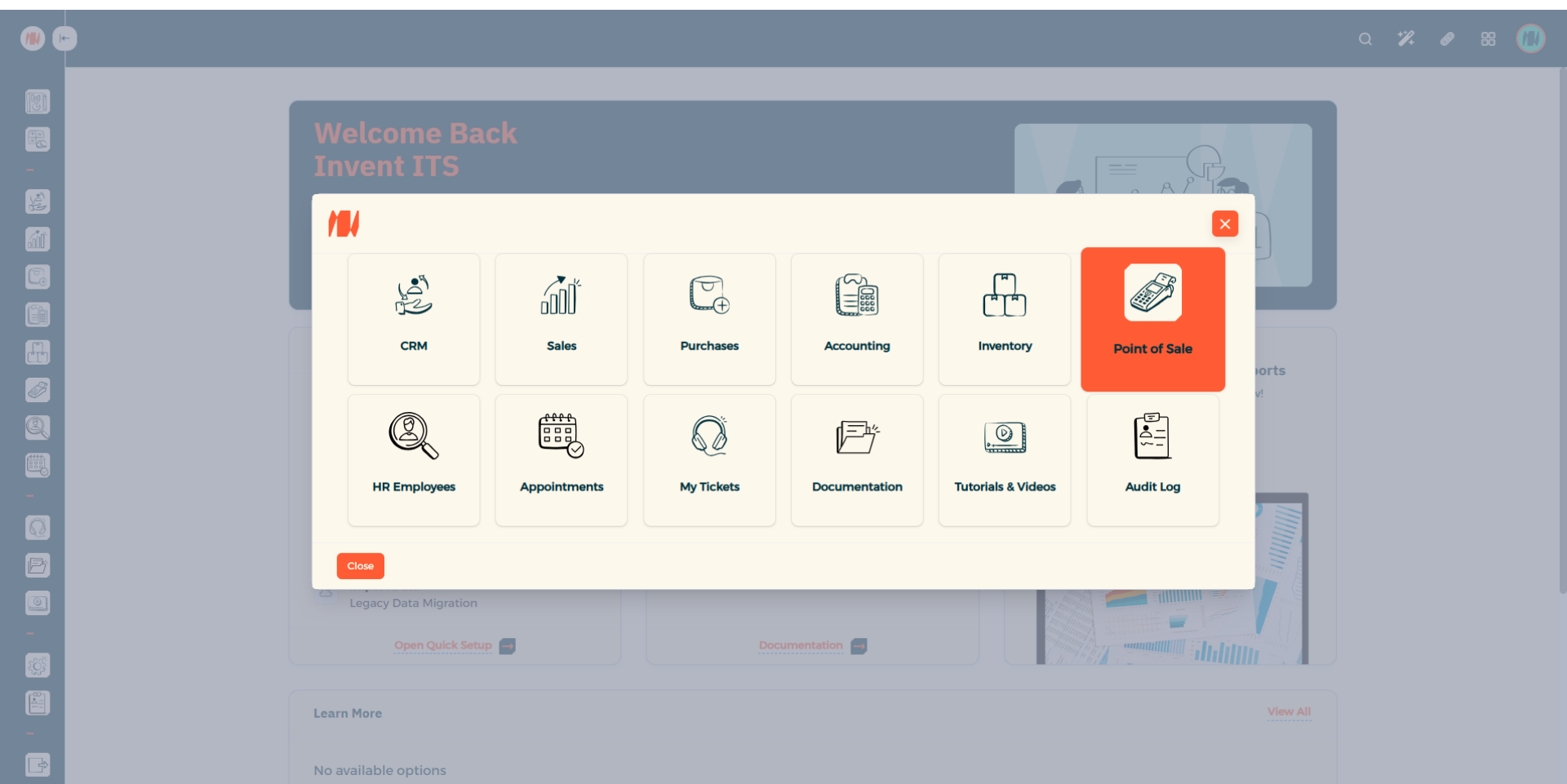
Step 2: Head to Configuration then Point of Sale
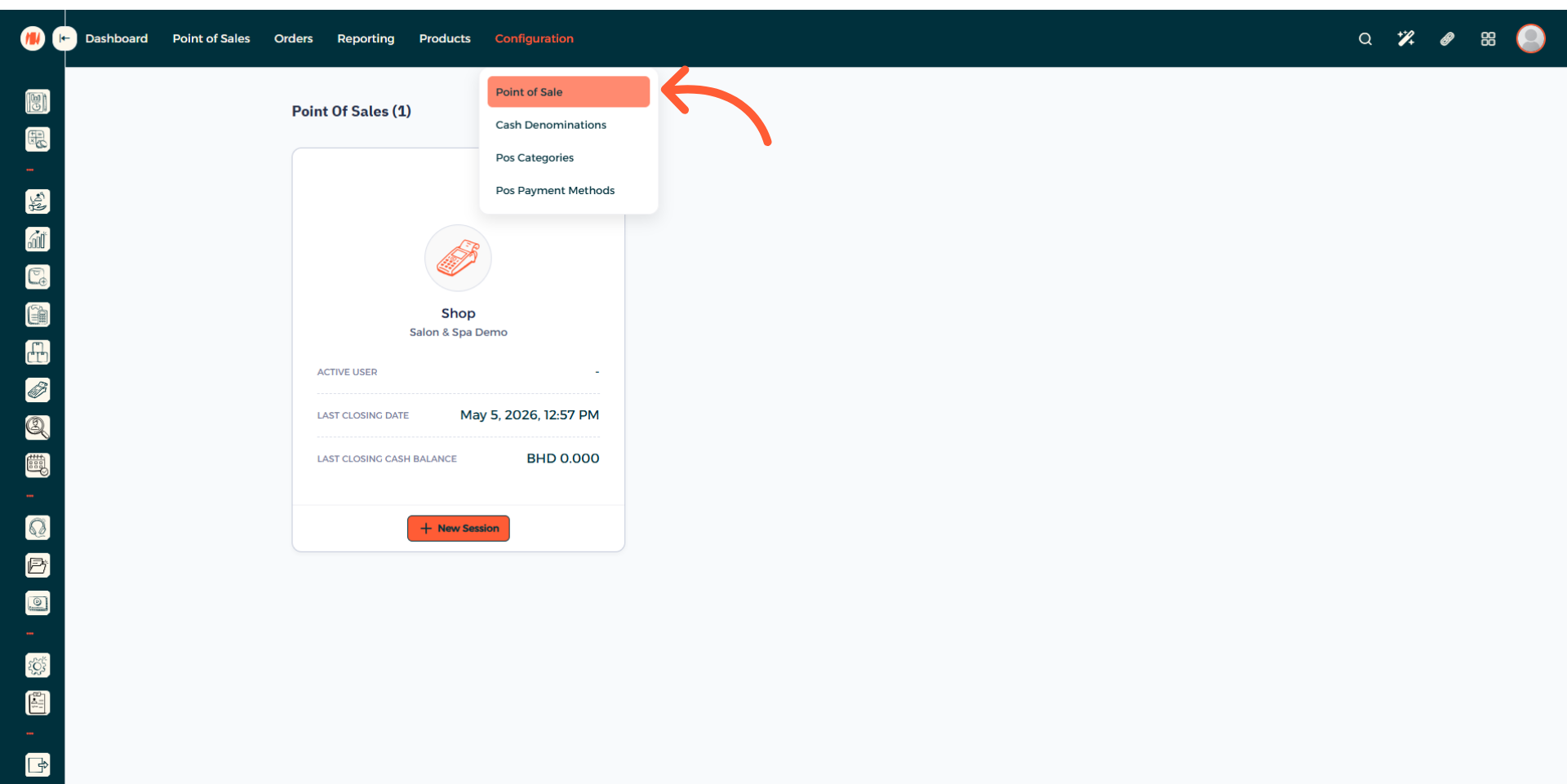
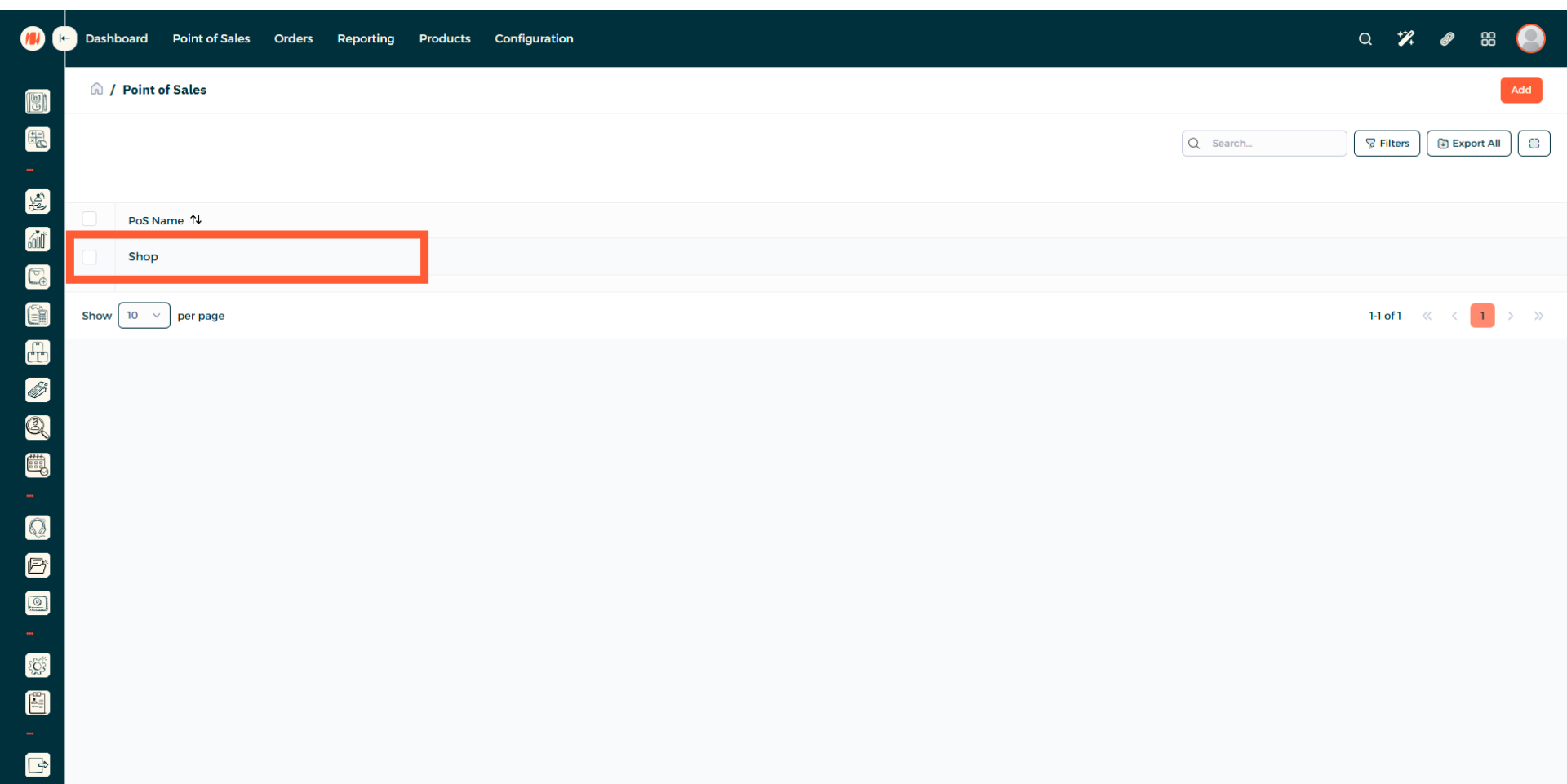
Step 3: Select your POS
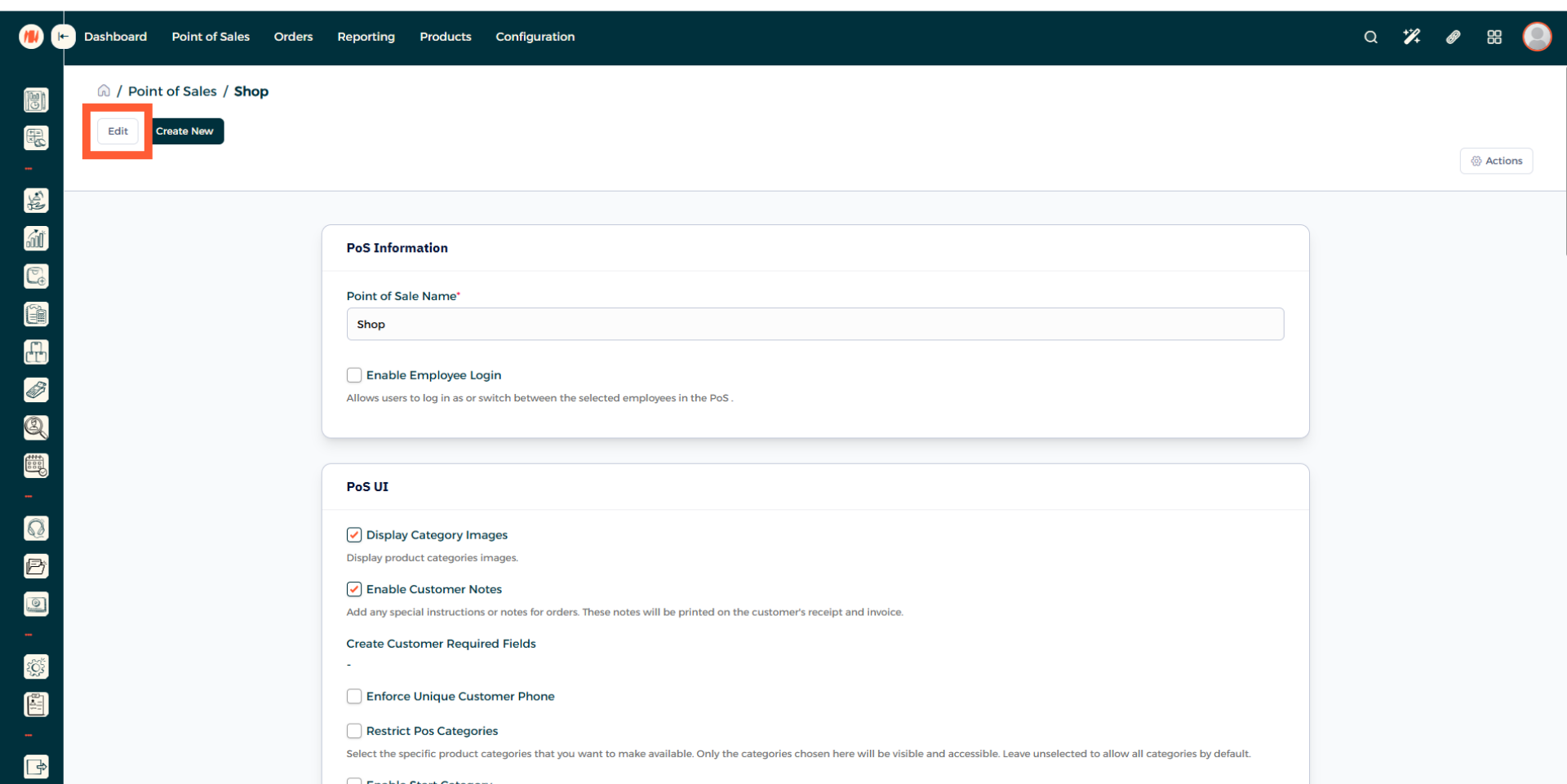
Step 4: Edit your POS
Step 5: Choose Down Payment Product
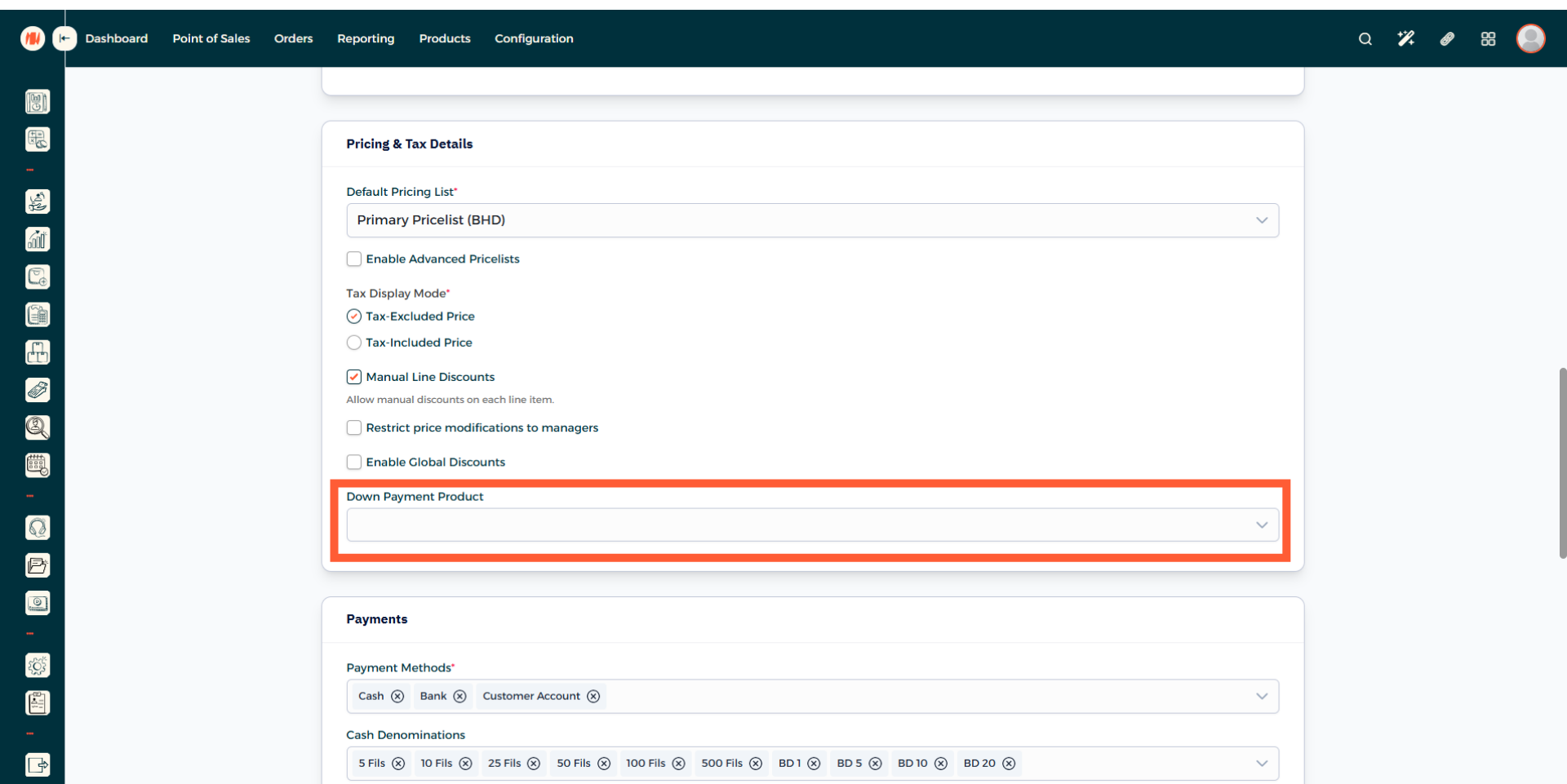
Step 6: Create a Down Payment Product
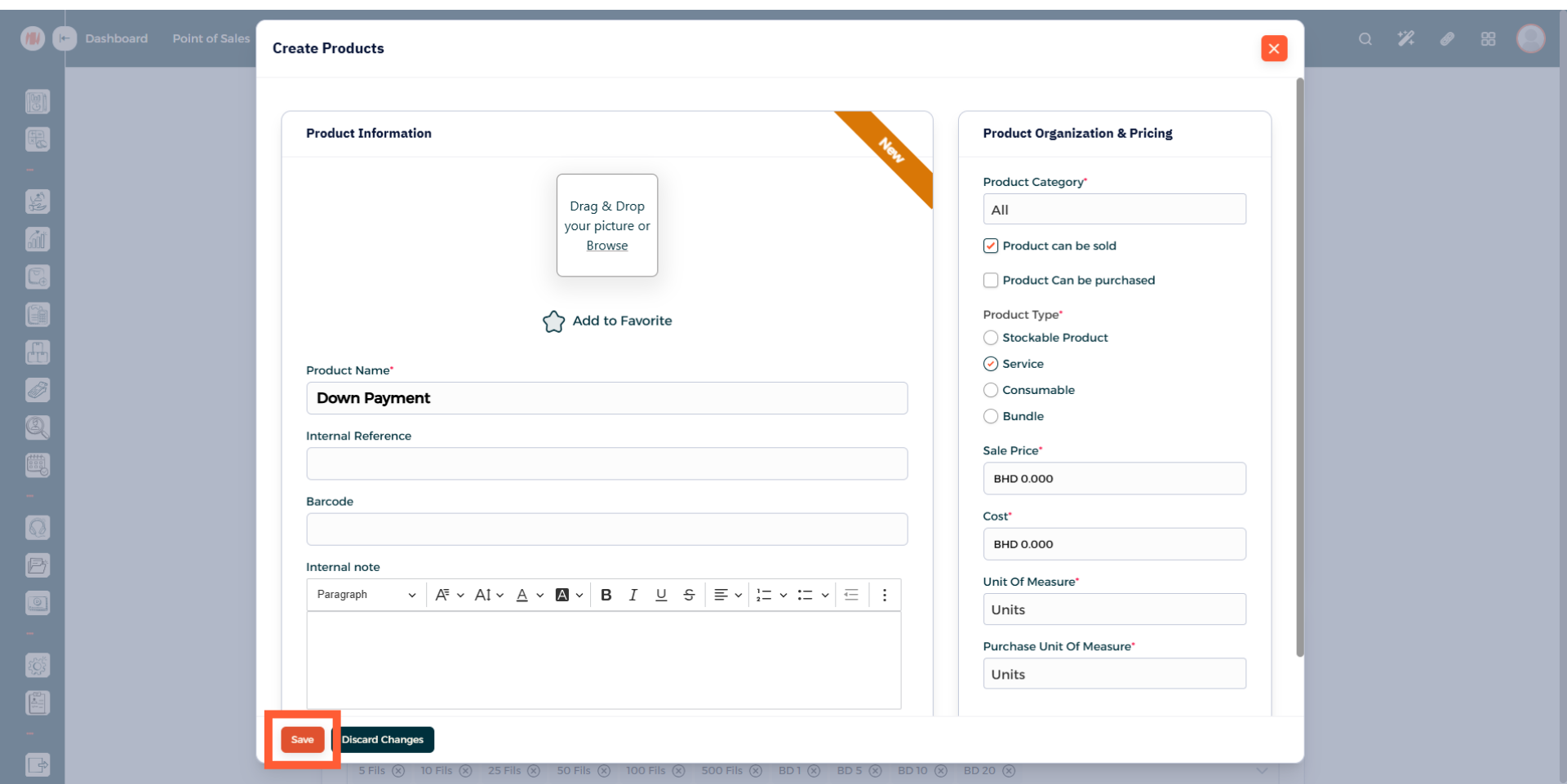
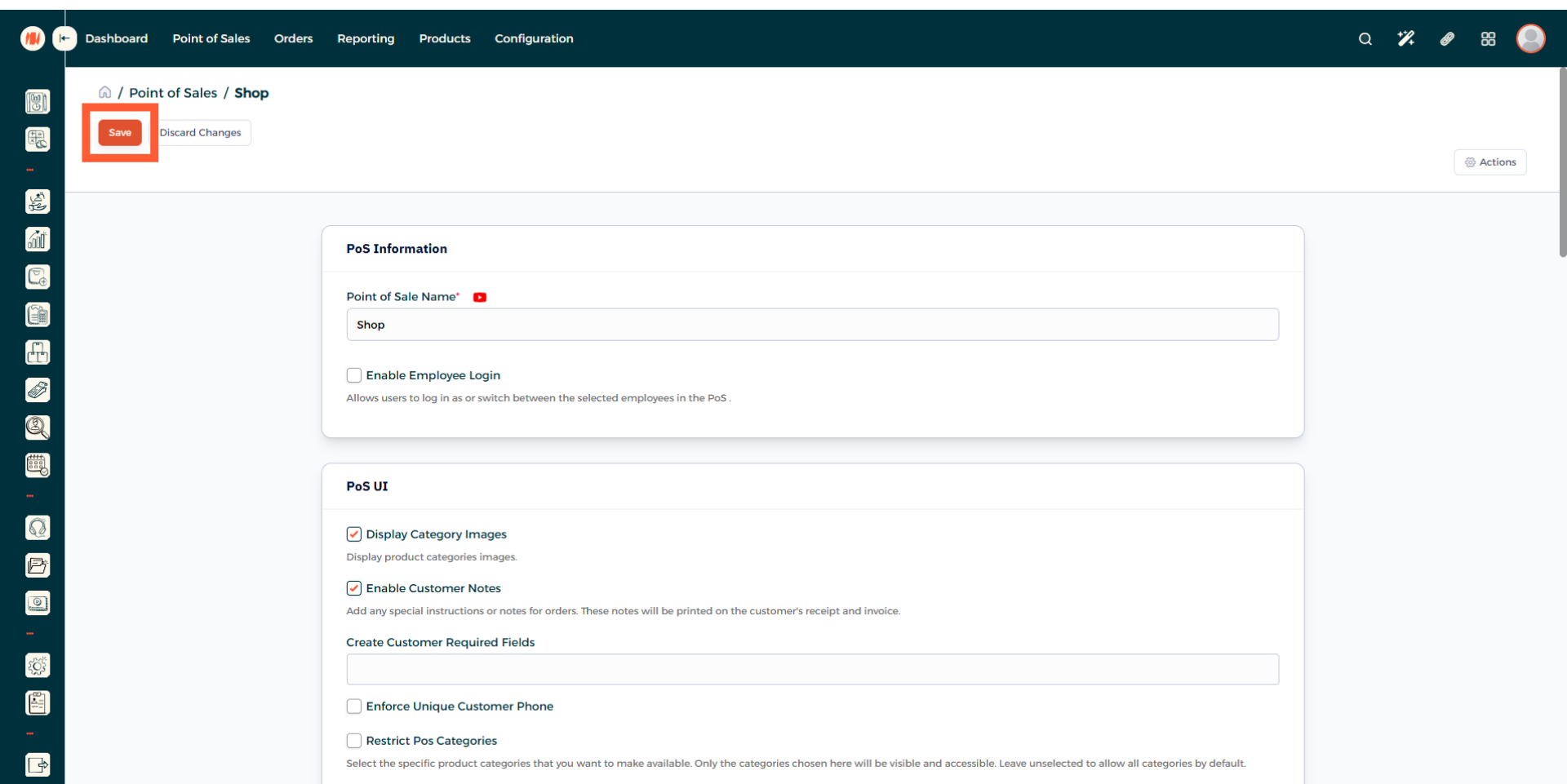
Step 7: Save your POS Changes
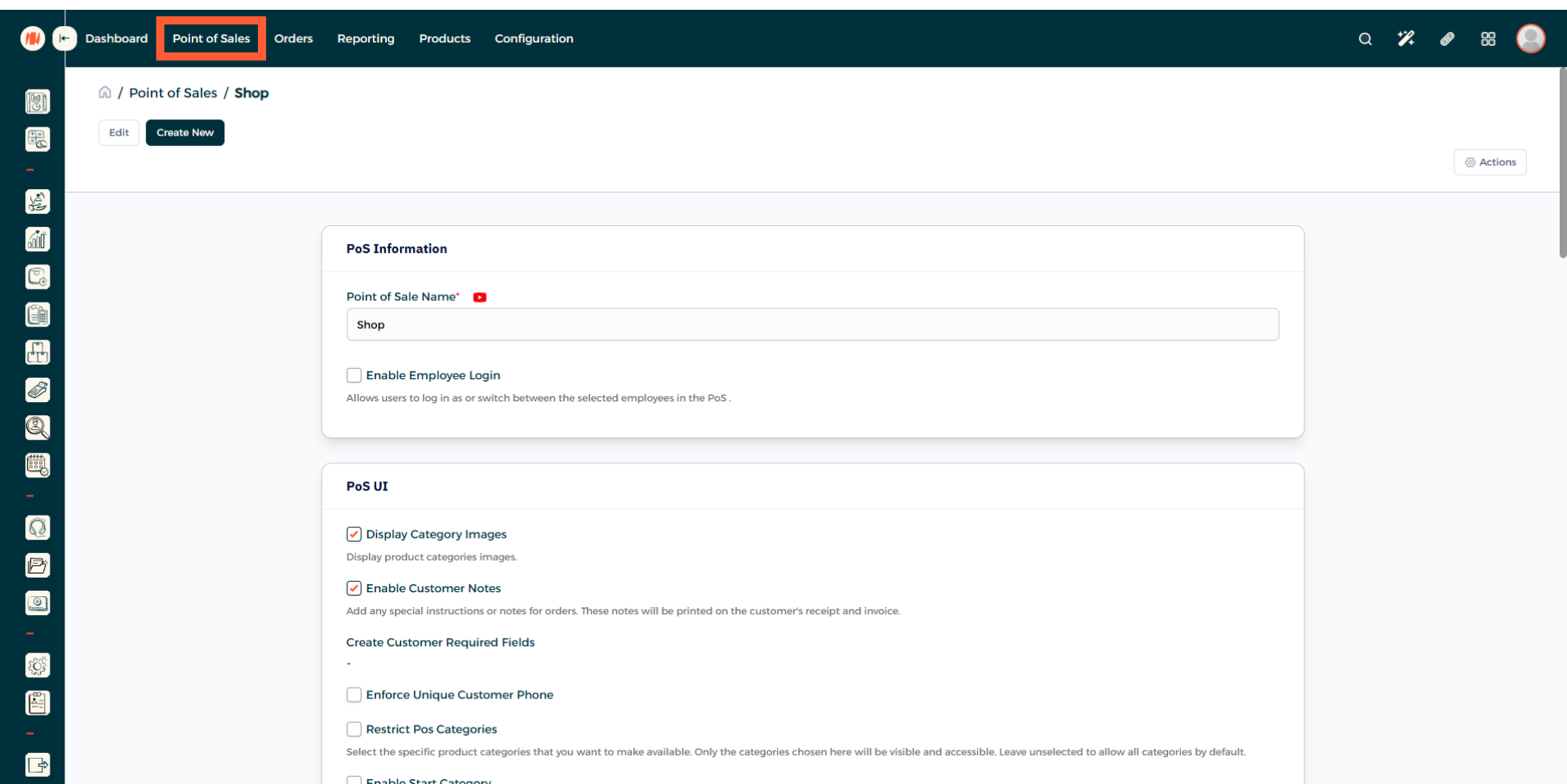
Step 8: Head to Point of Sales
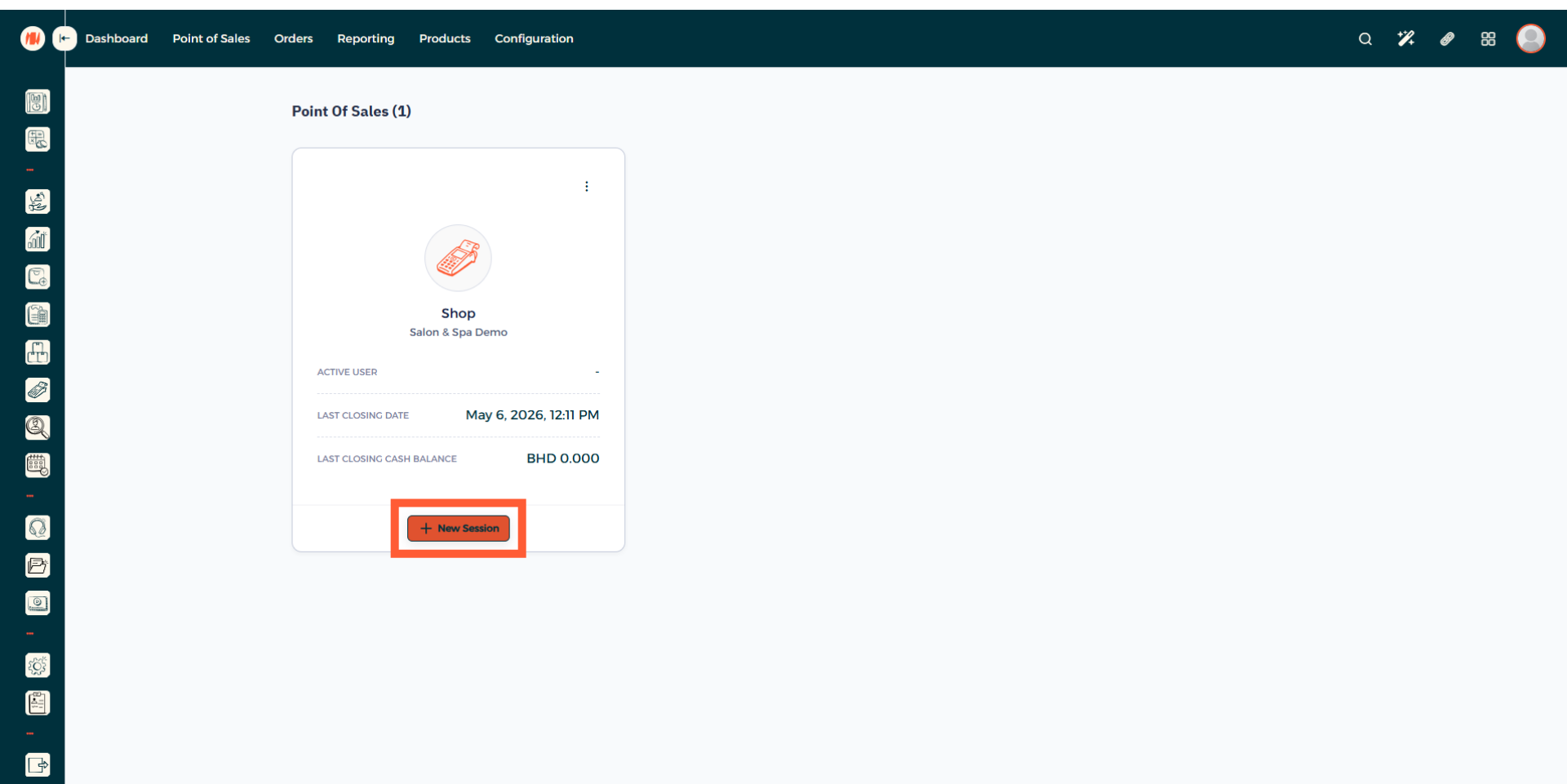
Step 9: Open a new POS Session
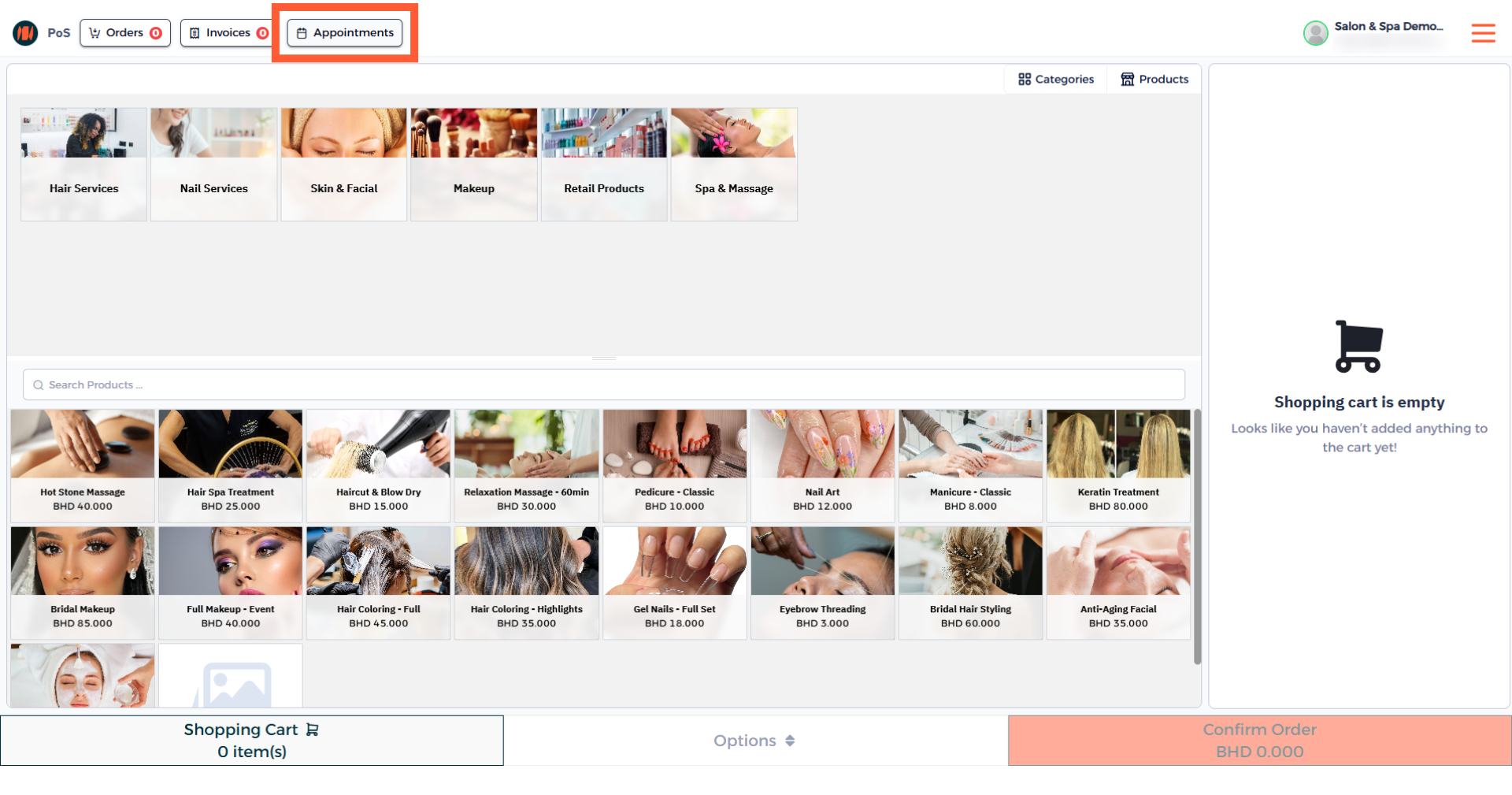
Step 10: Navigate to Appointments
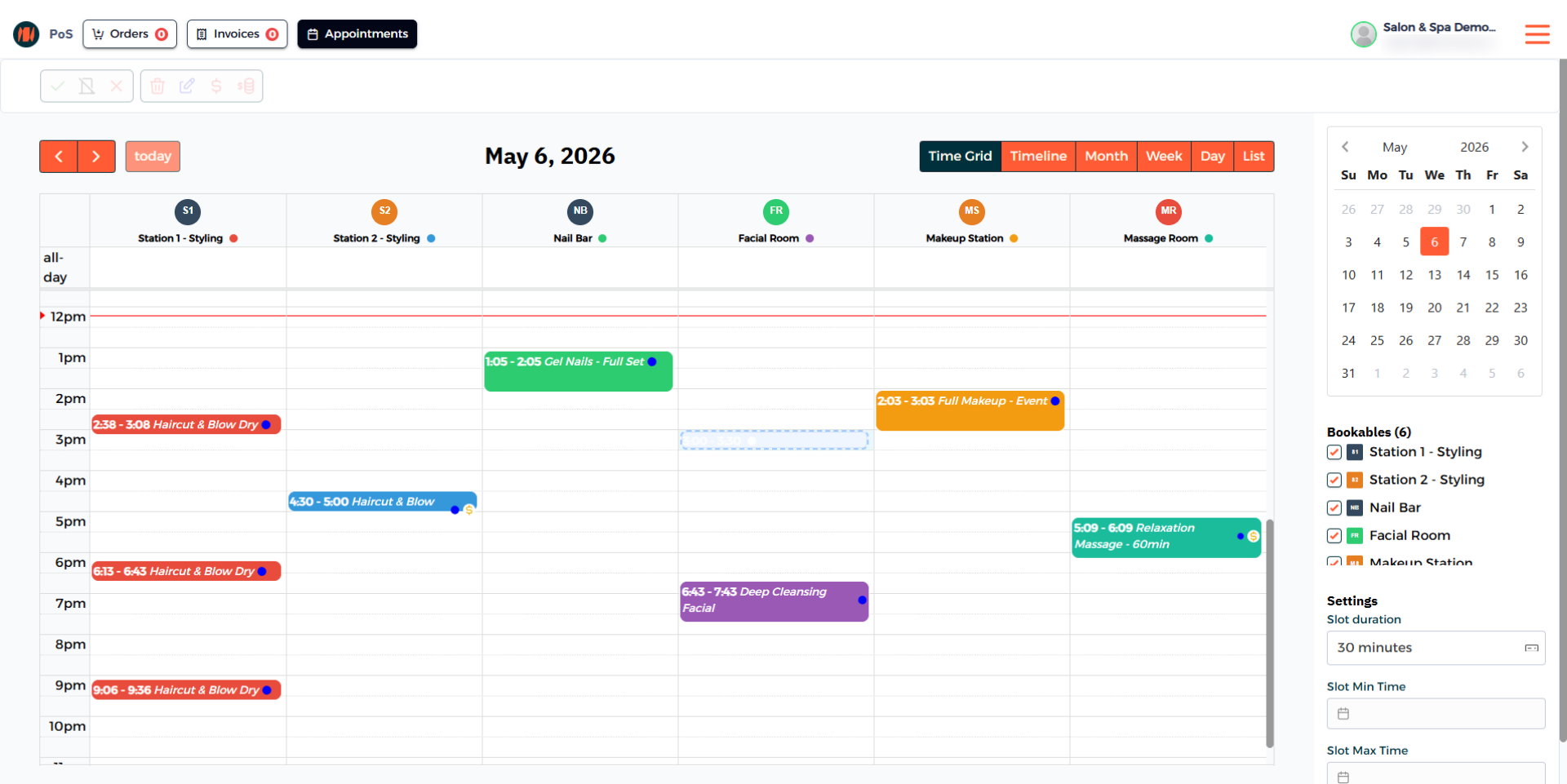
Step 11: Select an Available Slot for an Appointment
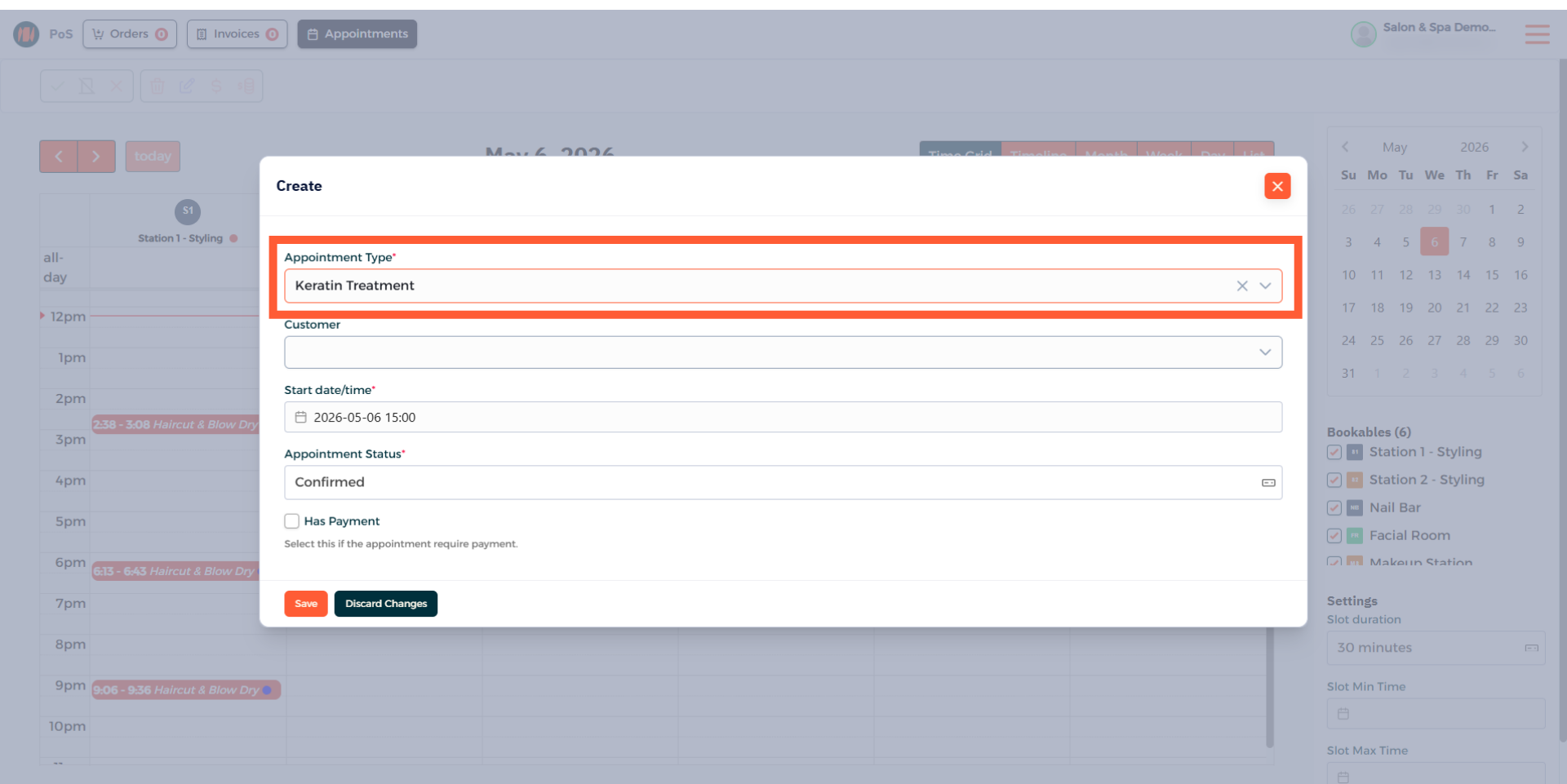
Step 12: Choose an Appointment Type
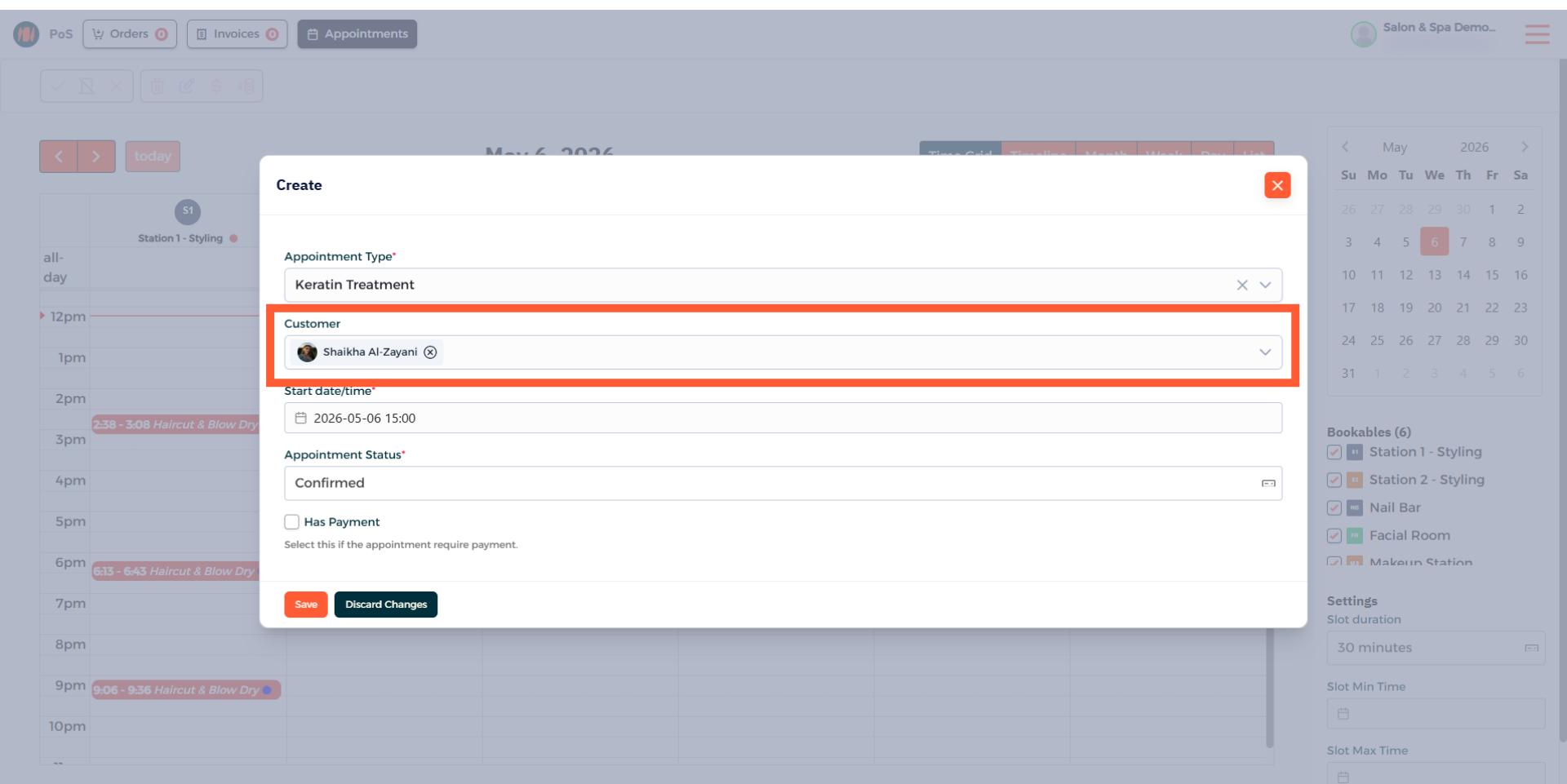
Step 13: Select a Customer
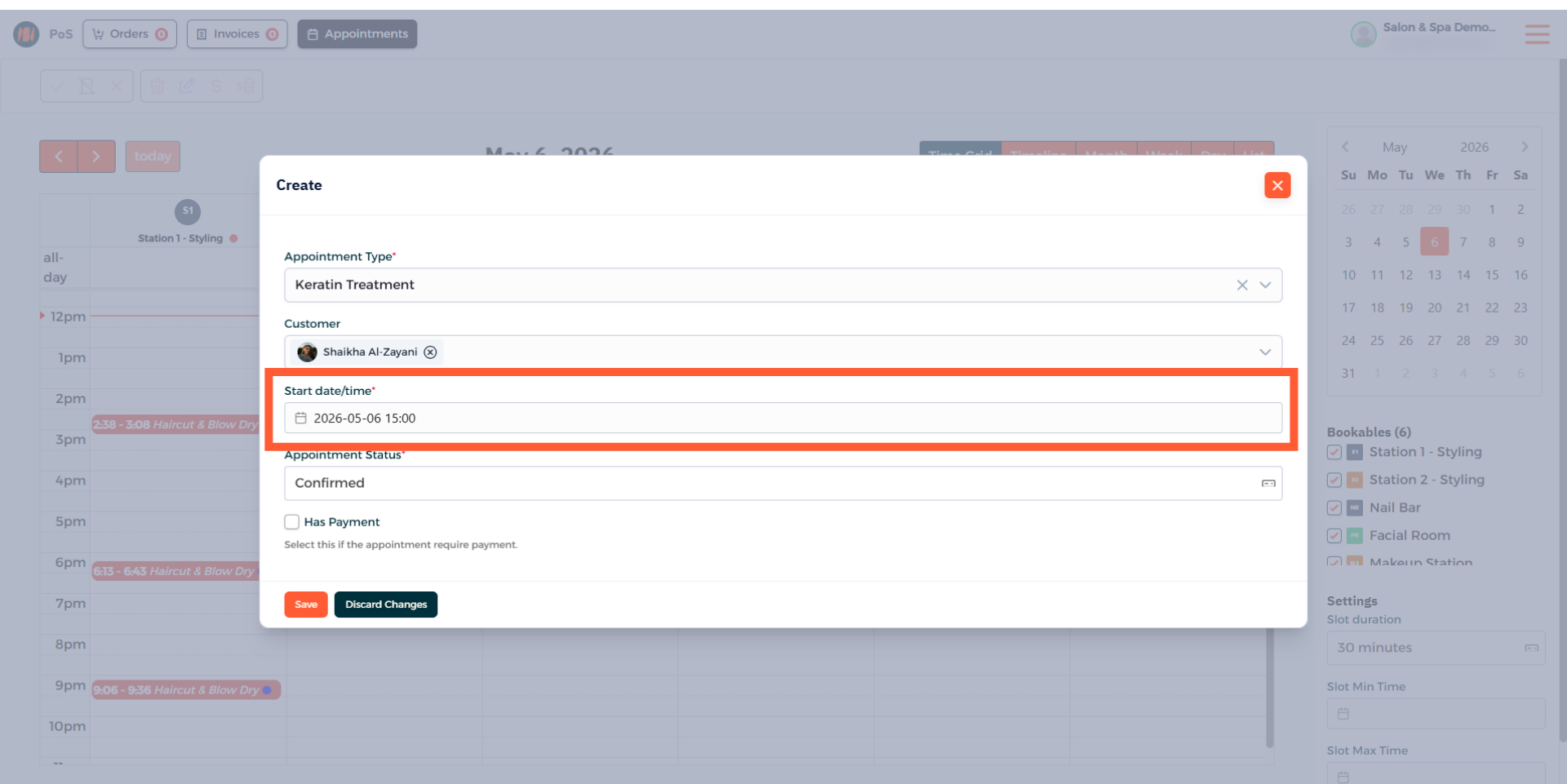
Step 14: Confirm Appointment Date and Time
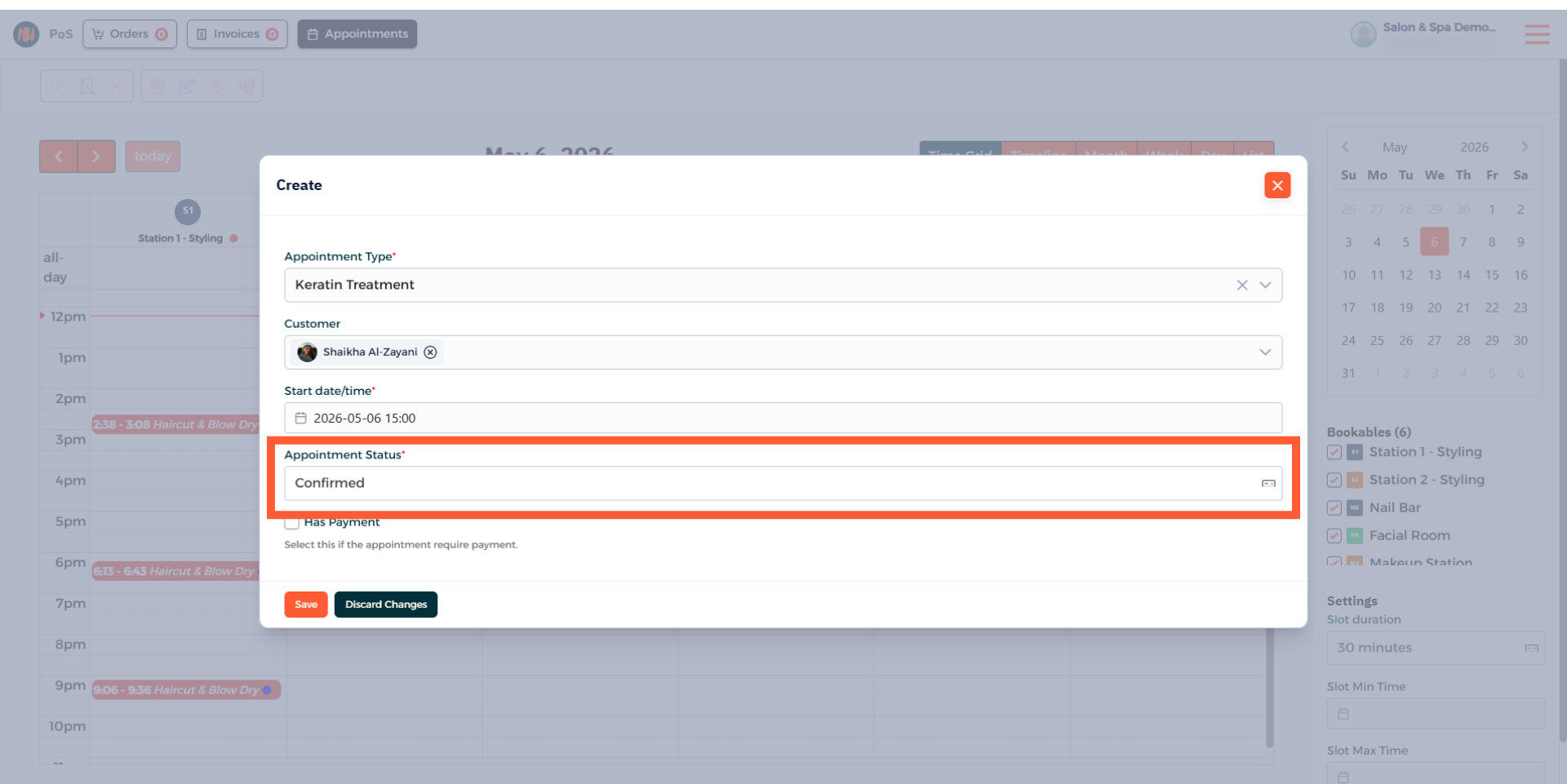
Step 15: Verify Appointment Status
Step 16: Select Has Payment and add Services
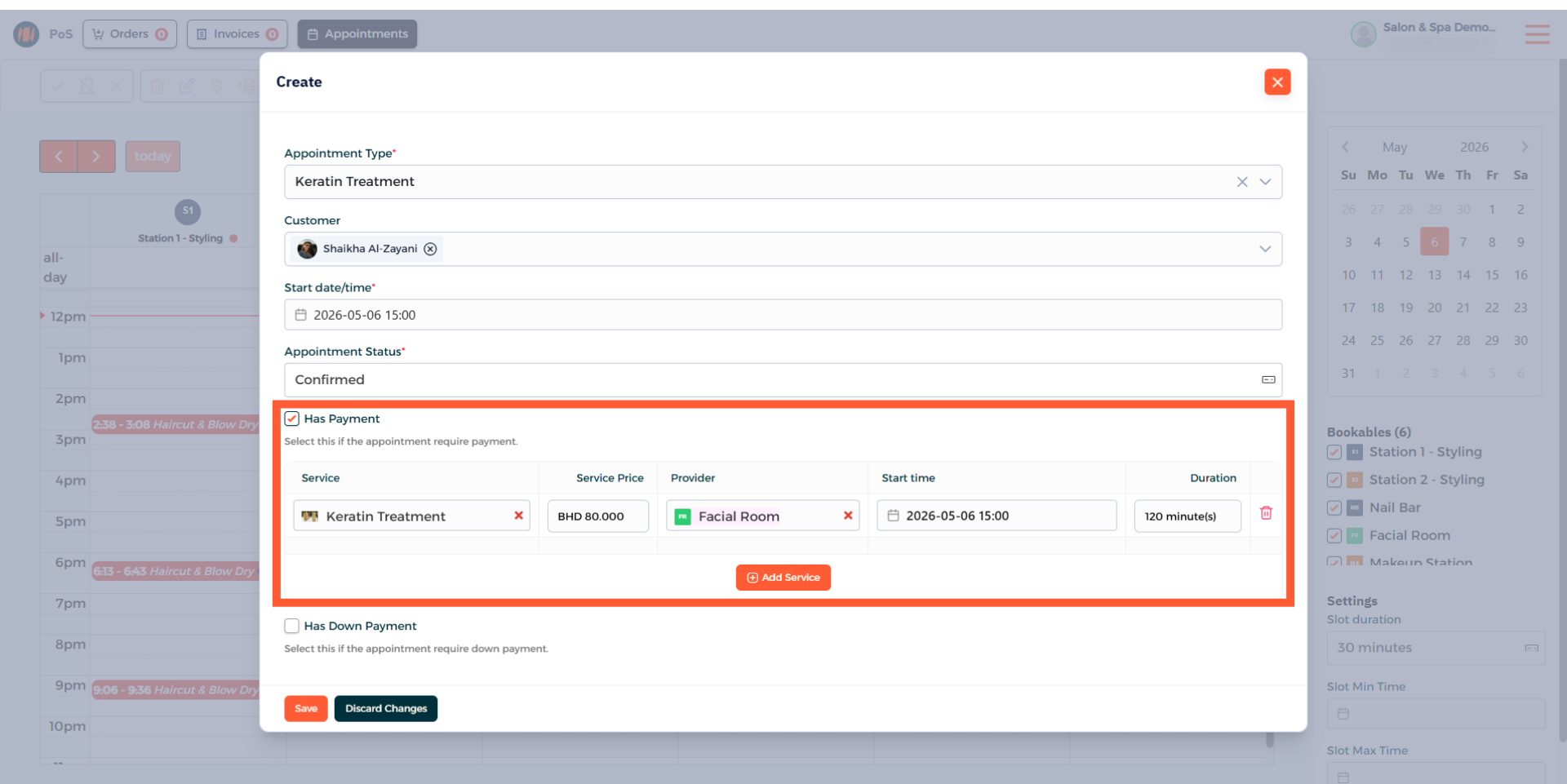
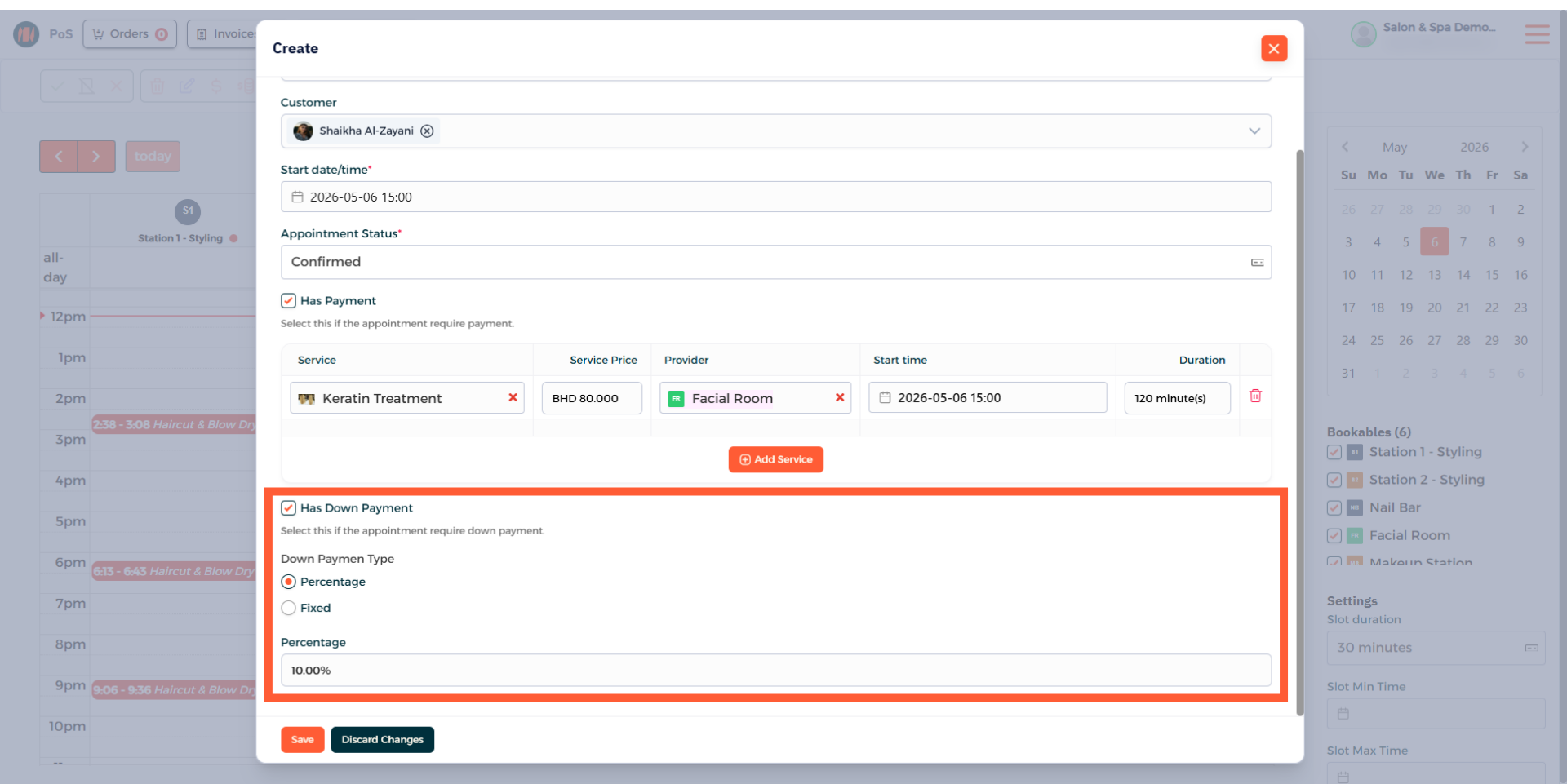
Step 17: Choose Has Down Payment
Choose the Has down payment option, select the type and then enter the fixed amount or discount percentage.
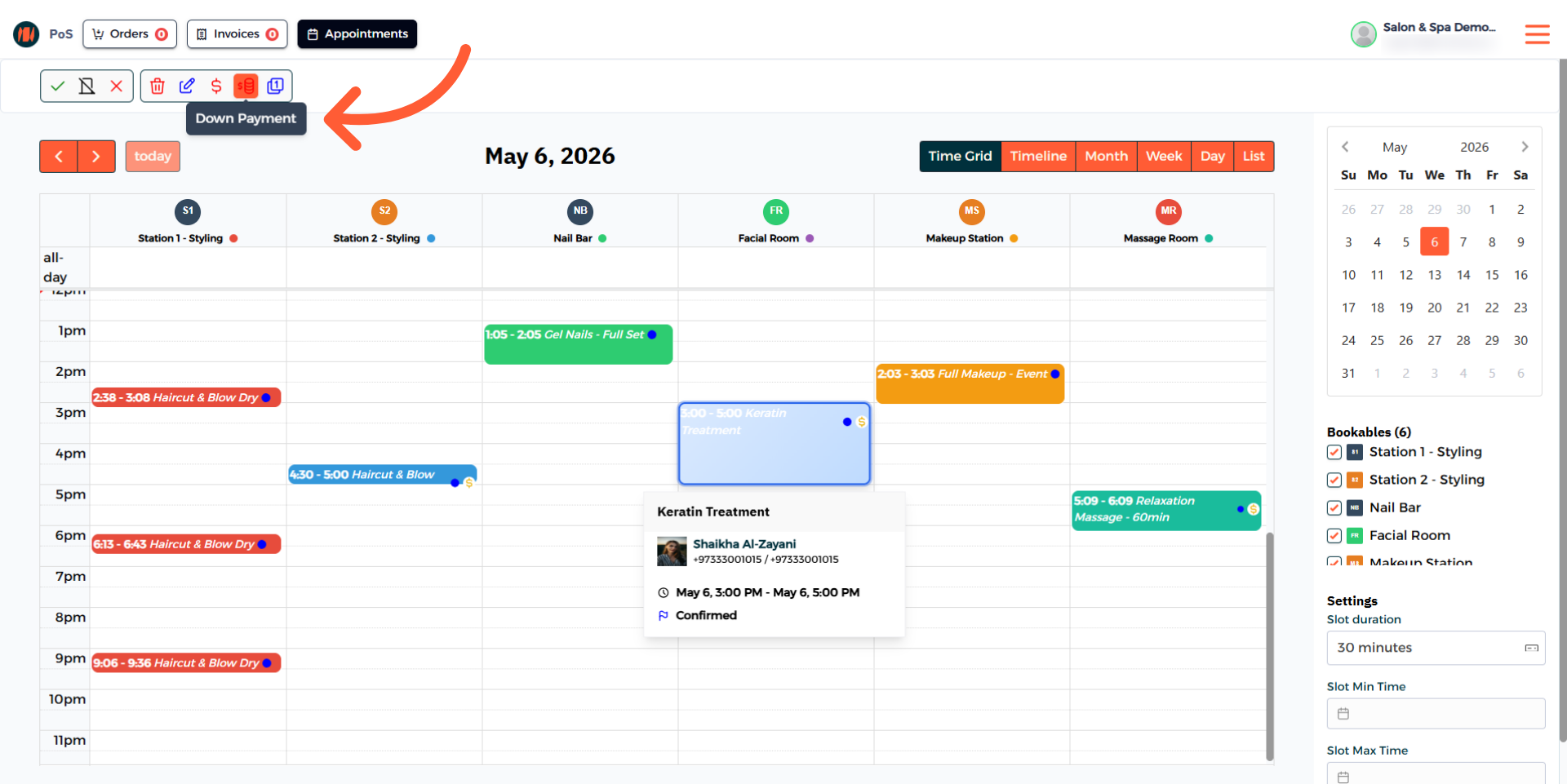
Step 18: Select Down Payment for the Appointment
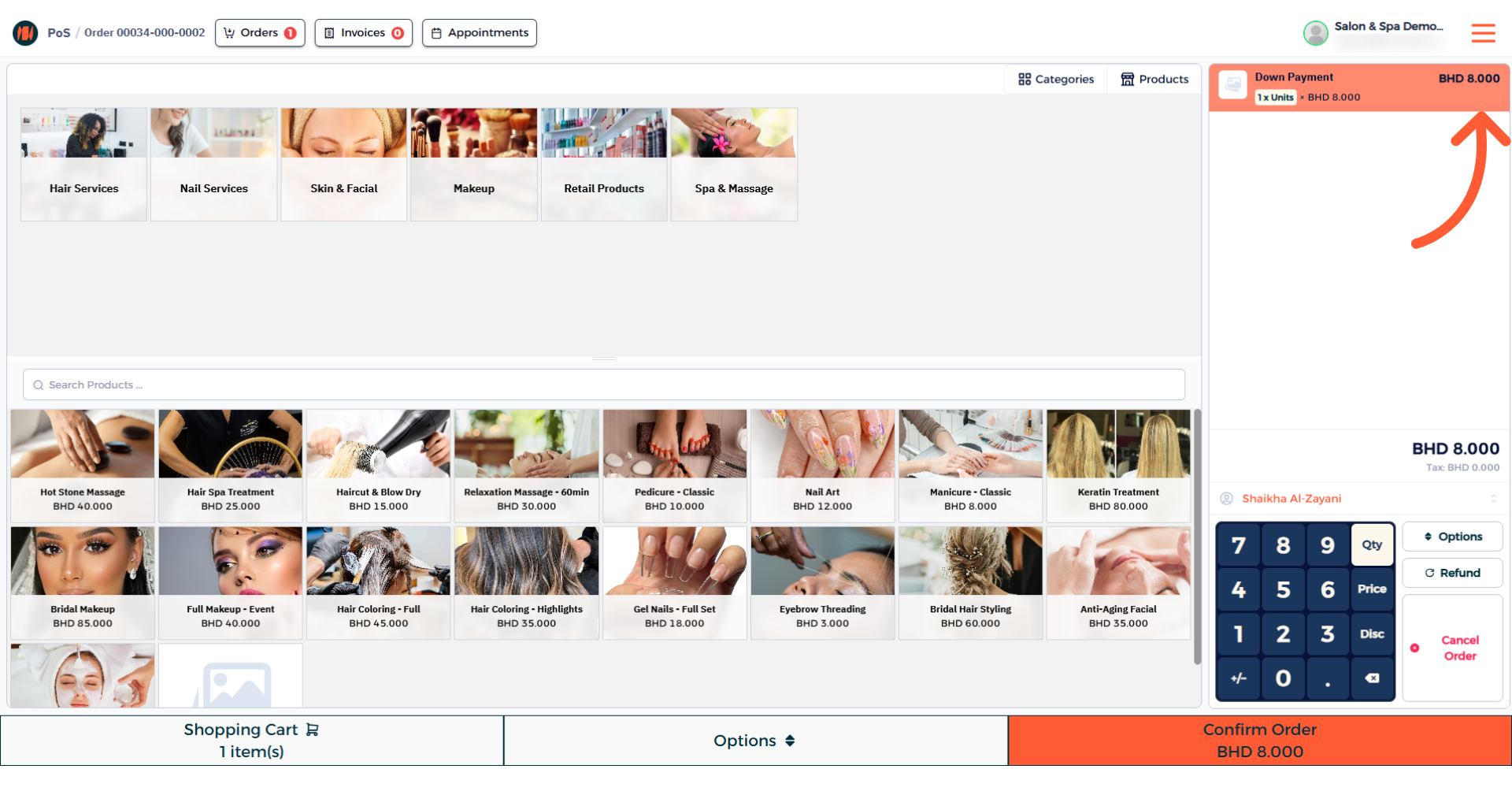
Step 19: Complete Down Payment Order
Step 20: Create Order for Appointment
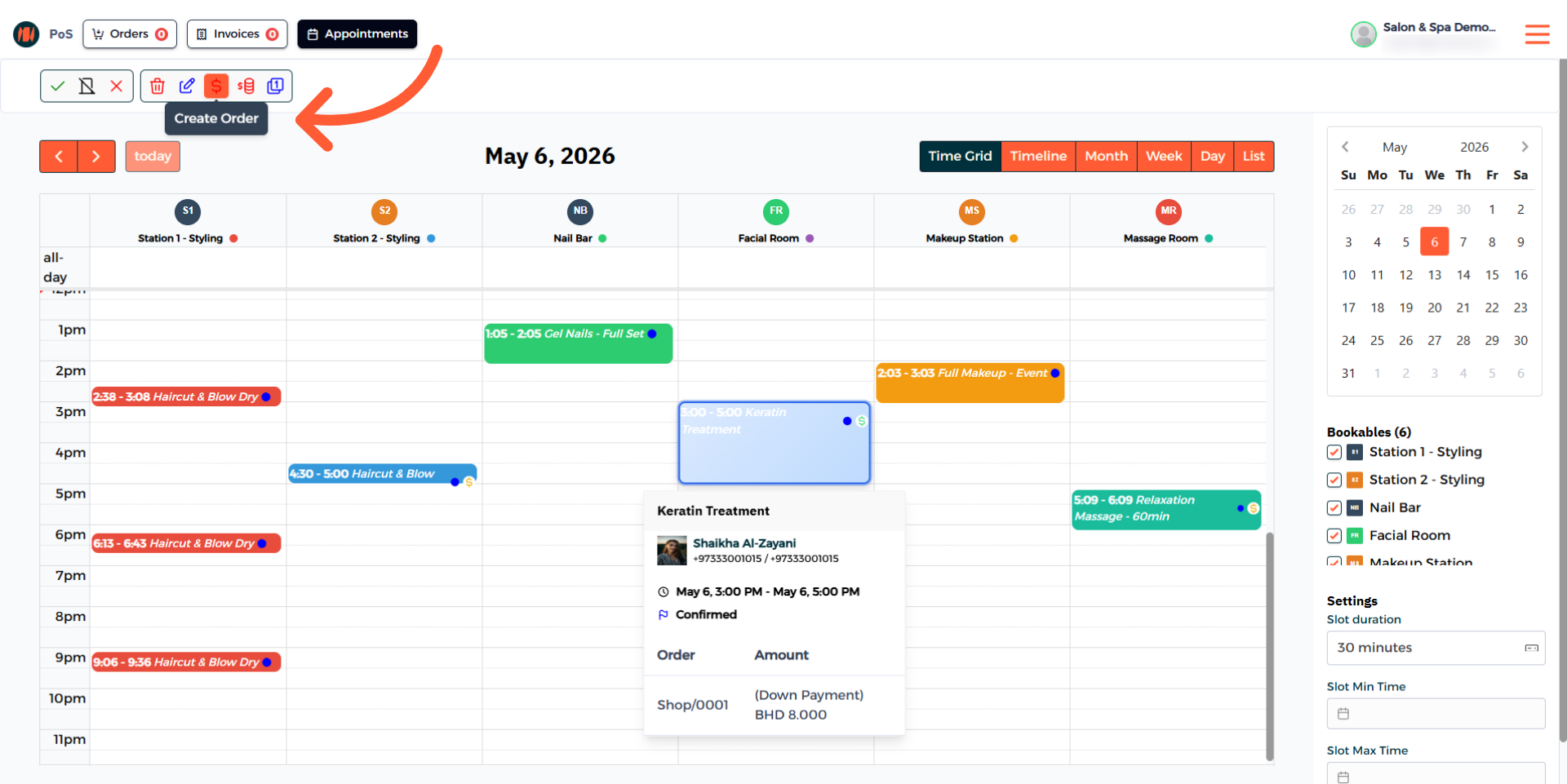
Step 21: Complete the Order of the Appointment
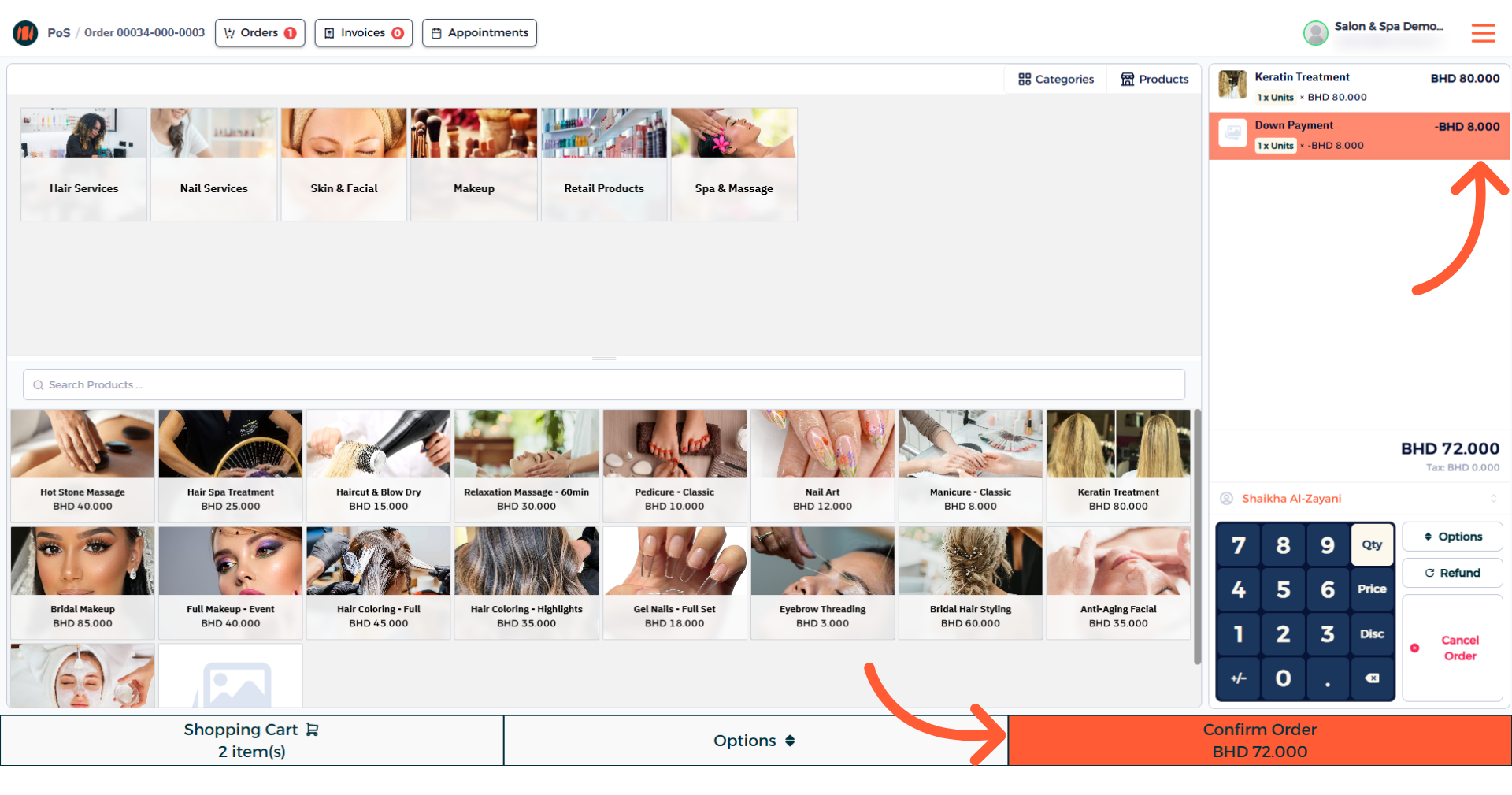
That's it! You know now how to add a Down Payment for an appointment in Invent ERP.
Notes & Tips
- Decide whether the down payment will be a fixed amount or a percentage beforehand and set it accordingly.
- Make sure to assign the down payment to the correct appointment to avoid billing issues and customer confusion.
Frequently Asked Questions (FAQ)
Q: What is a down payment?
A: A down payment is a partial payment taken before an appointment that’s applied to the final order.
Q: When should I add a down payment?
A: Add a down payment when you want to secure a booking for high-cost or time-sensitive services.
Q: Do I have to refund a down payment if a customer cancels?
A: It depends on your business’s cancellation and refund policies.